
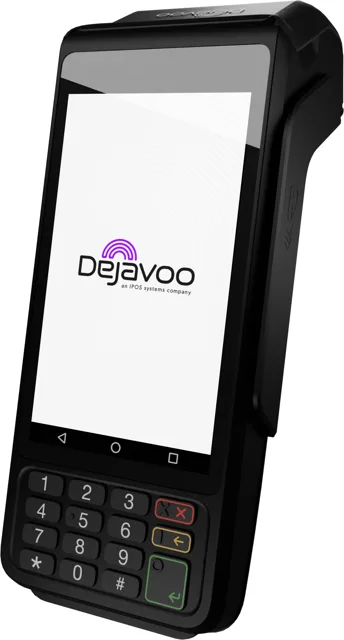
Best for pay-at-table
Dejavoo P3
Wireless handheld
A compact Android handheld with a 5-inch touchscreen and built-in printer. Guests tap, tip and get a receipt at the table.
Ask about this setupA restaurant terminal has to handle tips, split checks and pay-at-table without slowing the floor. Here are the terminals and handhelds we set up most for dining rooms, bars, cafes and food trucks, and how to choose.

By Josh Elsass, PresidentLast reviewed November 16, 2026
| Question | Why it matters |
|---|---|
| Do guests pay at the table? | Handhelds keep the card in the guest’s sight and turn tables faster |
| How do you handle tips? | Look for tip prompts on screen and tip adjustments after the sale |
| Do you split checks? | Splitting by seat or item is a POS feature. A standalone terminal can split evenly |
| Is there Wi-Fi everywhere you sell? | Patios, food trucks and events need cellular |
| Do you need menus and a kitchen screen? | Then you need a full POS, not just a terminal (POS systems) |
Best for pay-at-table
Wireless handheld
A compact Android handheld with a 5-inch touchscreen and built-in printer. Guests tap, tip and get a receipt at the table.
Ask about this setup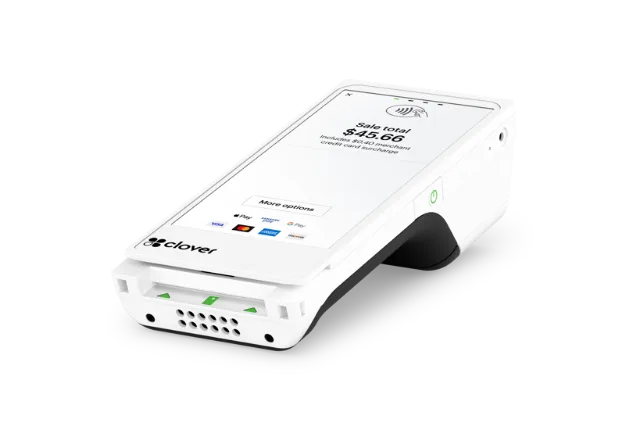
Best on a Clover POS
Countertop or handheld terminal
A handheld with a built-in printer that runs on the same Clover menu and reports, for tableside, line-busting and curbside.
Ask about this setup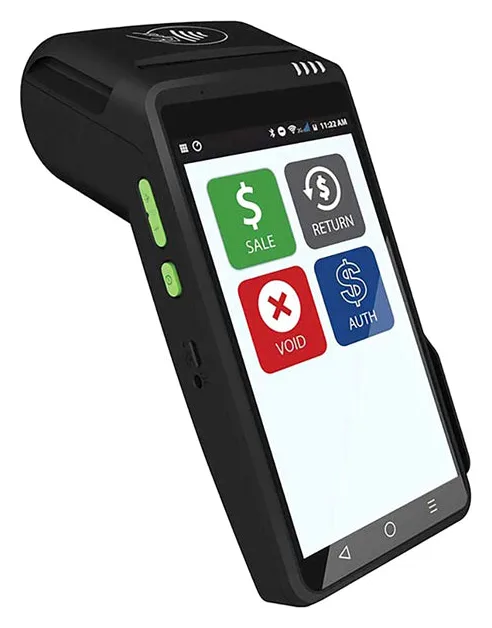
Best for patios and trucks
Wireless Android terminal
A wireless Android terminal with 4G cellular and a built-in printer, for anywhere the Wi-Fi does not reach.
Ask about this setup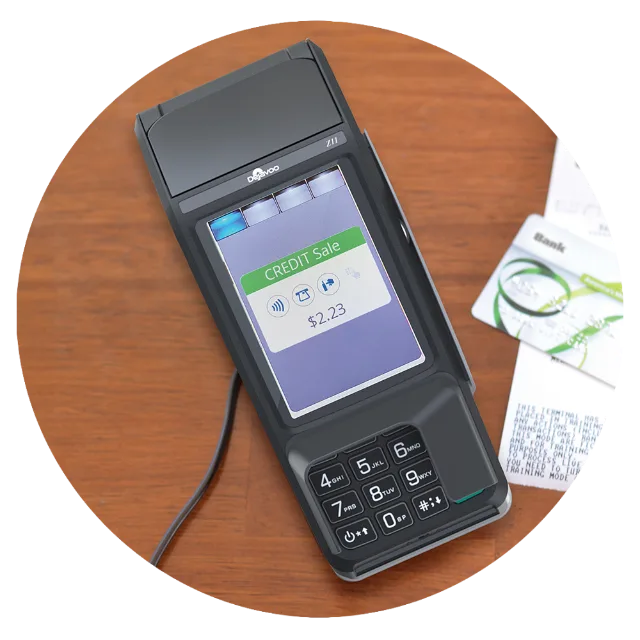
Best at the counter
Countertop touchscreen
A countertop touchscreen with a built-in printer for quick-service counters and cafes.
Ask about this setup
Terminal
If your menu lives somewhere else and you just need fast, tipped card payments, a terminal is simpler and costs less.
POS
If you need tables, split checks by seat, a kitchen display or online ordering, a POS such as Clover, Genius or Square ties it together. See restaurant payments.
Send one statement
Upload a recent processing statement, or tell us how your restaurant takes payments today if you're just starting.
Get your audit and a setup
We explain every line you pay now, then match the hardware, software and pricing to how you actually sell. No pressure to switch.
Go live with backup
We configure your equipment before it ships, so you plug it in and sell. When you call, a person picks up fast.
For pay-at-table, a handheld such as the Dejavoo P3 or Clover Flex. For a counter, a countertop touchscreen such as the Dejavoo Z11. For patios and trucks, a 4G terminal such as the Dejavoo QD2.
Yes. The terminals here prompt for tips on screen, and most setups allow tip adjustments after the sale for signed checks.
Yes, with a compliant surcharge on credit cards (capped at 3%, never on debit), dual pricing on the menu, or a cash discount. Check your state.
Buying usually costs less over time. Read any lease carefully, because many cannot be canceled. See how to switch processors.
About the author
Josh Elsass
President, PayVault Solutions
Josh Elsass is President of PayVault Solutions, where he leads merchant sales and the agent and ISO partner channel. With over two decades selling to small and medium-sized businesses, and in payment processing since 2015, he has worked with thousands of small businesses and enterprises nationwide and has been part of three successful company exits, building the sales channel behind each one. Before PayVault, he served as Chief Sales Officer and then President, Operating Companies at Simpay, where he strengthened every sales channel and oversaw day-to-day operations. Josh has built his career on one conviction: the best companies value clients, partners and employees equally. At PayVault, that means pricing explained line by line for every merchant and terms in writing for every sales partner.
Connect with Josh on LinkedInFor restaurants
Tell us how you serve and send one statement. We will match the terminal and show you what it should cost.
Match me with a terminal